IPTV Service: How Live TV, On Demand and Catch-Up Work Day to Day
An IPTV service brings live channels, a TV guide with catch-up and a library of movies and series into one app. This guide shows how each part works day to day, what you control at home and how to fix the small problems yourself.
An iptv service delivers television over your internet connection instead of a cable or satellite line: live channels, a TV guide with catch-up and an on-demand library of movies and series, all inside one app on your TV, phone or computer. You sign in once and use it like any television, with a remote.
Most guides stop at the price and the channel count. This one starts where those end, on the evening your IPTV service is installed. It walks through the three parts you will use every day, the app and your login, watching on several screens, picture quality and the home network, plus the short list of fixes that solve most small problems without calling anyone.
The details about IPTV 24 come from this site: the price list, the channel overview and the setup guide. If you are still choosing a service, start with the scorecard in our guide to the best IPTV subscription and come back here once it is on your TV.
Support on WhatsApp, 24 hours a day, 7 days a week.
No contract, no setup fee, from $4.96 a month.
What an IPTV service is
IPTV stands for Internet Protocol Television. An IPTV service sends television as data over the same internet connection you use for everything else, and an app on your screen turns that data back into pictures and sound. There is no dish, no cable box and no installer: a screen, an internet connection and your login are enough.
From the sofa, it looks like ordinary television. You pick a channel from a list, check what is on next in the TV guide and switch with the remote. The difference is everything around it: you can rewind a live channel, start a movie whenever you like and take the same account on a trip.
- What you need: a Smart TV, a streaming stick or box, a phone, a tablet or a computer, plus a steady internet connection.
- What you receive: personal login details that open the channel list and the library in the app.
- What you pay: one payment for a set length, from 1 to 24 months, with no contract and no automatic renewal.
The three parts of an IPTV service
Every IPTV service you use day to day comes down to three parts. Knowing which one to open saves time, and it also helps when you describe a problem to support.
| Part | What it does | When you use it |
|---|---|---|
| Live TV | Channels as they are broadcast, grouped by country and theme | News, games, shows as they air |
| TV guide and catch-up | Schedule of each channel; rewind or pause live TV | Planning the evening, missed moments |
| On demand | Movies and complete seasons you start at any time | Movie nights, series, kids’ titles |
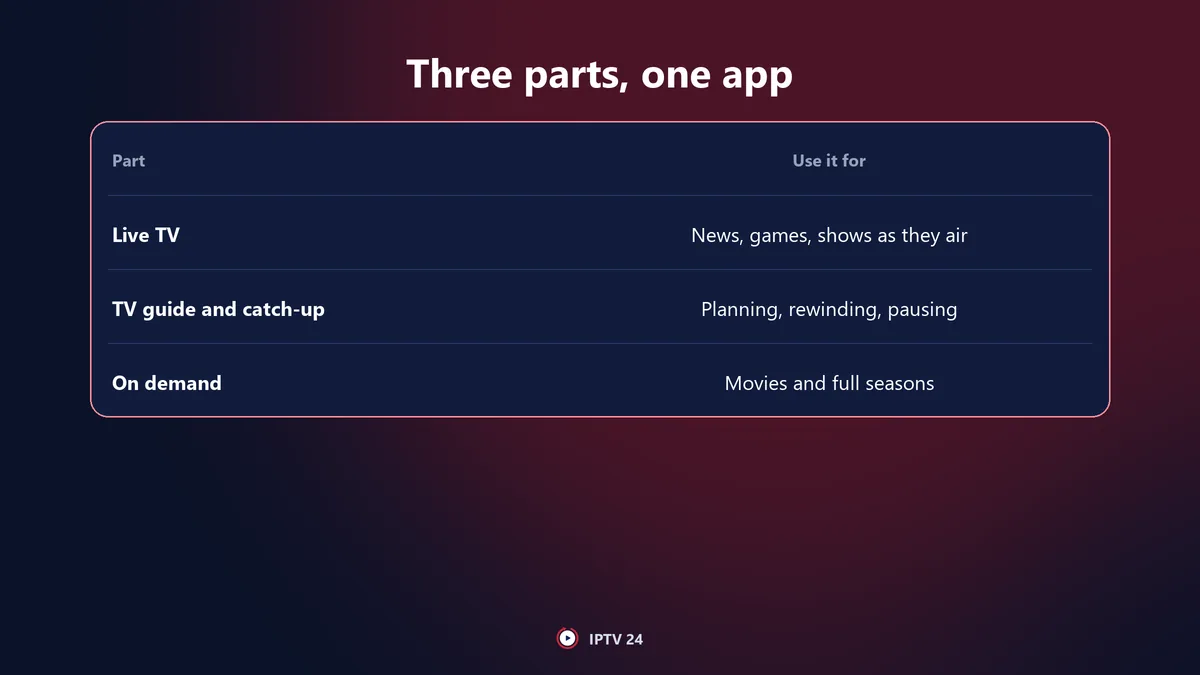
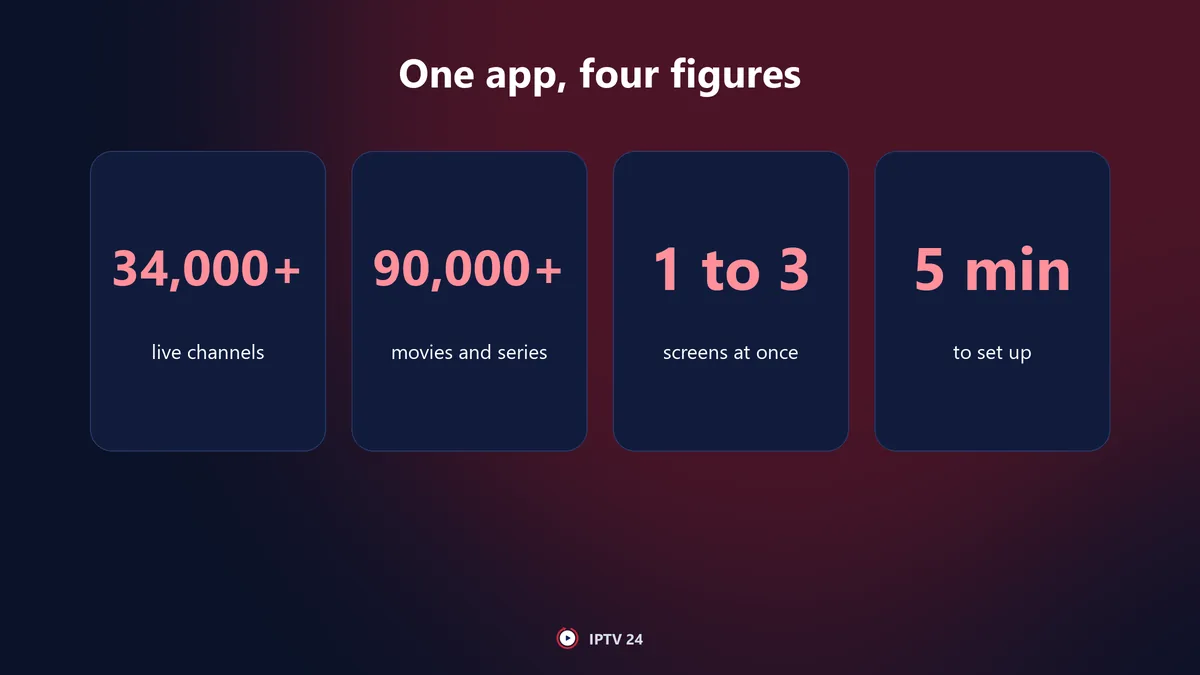
With IPTV 24, all three parts come with every plan: 34,000+ live channels, the TV guide and catch-up, and 90,000+ movies and series. There is no separate pack for sports or movies.
Live TV on an IPTV service
Live channels are grouped by country and by theme, so a list of 34,000+ channels stays easy to browse. On IPTV 24 you will find groups for the United States, the United Kingdom, Canada, Mexico, Spanish-language channels, Europe, India, the Philippines, Arabic channels and many more, plus themed groups for sports, news, movies, kids and music.
Make your own short list
Nobody scrolls through thousands of channels every night. On the first evening, open the groups you watch and add your everyday channels to the favorites list in the player. After that, the remote takes you to the same twenty or thirty channels in two presses, just like a normal TV.
Versions of the same channel
Many channels appear more than once, labeled 4K, Full HD, HD or SD. They show the same program at different picture qualities. Pick 4K on the big TV, and keep a lighter version in your favorites for a phone on mobile data or an evening when the connection is busy.
The TV guide and catch-up
The TV guide (EPG) shows what is on each channel now and next, laid out like the grid you know from cable. On a good IPTV service it is filled in for your everyday channels, which is what makes a long list usable.
Catch-up adds two things cable boxes often charge for:
- Pause live TV: stop the game when the doorbell rings and carry on where you left it.
- Rewind: go back to see a goal, a touchdown or the start of a show you joined late.
- Catch up on the evening: on channels that offer it, open a program that already aired from the TV guide.
Catch-up is available on live channels as part of every IPTV 24 plan. How far back you can go depends on the channel, so check your favorite ones during the trial.
Movies and series on demand
The on-demand library works like a video store inside the app. IPTV 24 includes more than 90,000 movies and series, with complete seasons, new releases, documentaries, animation and a separate kids’ section. Most titles have English audio or subtitles, and new titles arrive every day without an app update.
Titles are sorted by category, so the quickest way in is usually the search box: type a few letters of a title and pick the result. Series pages list each season and episode, and the player remembers where you stopped.
The app and your IPTV service login
Your login is what connects the app to the IPTV service. IPTV 24 supplies it three ways, so you can use the player you prefer:
| Way to connect | Best for | What you enter |
|---|---|---|
| iBO Player (included) | Smart TVs, Firestick, phones | Login details, or MAC address and device key |
| Xtream Codes login | IPTV Smarters, TiviMate and similar | Server address, user name, password |
| M3U link | Players that read playlists | One link to the channel list |
On a Firestick, the Downloader app with the code 481220 installs iBO Player in about two minutes. On a Samsung or LG Smart TV, iBO Player comes from the TV’s app store and shows a MAC address and a device key that you send on WhatsApp. The setup guide has the steps for each device.
Keep your login private. The account is yours, and when you renew, the same login keeps working, so no device needs to be set up again.
Using one IPTV service on several screens
You can install the app on every TV, phone and laptop in the house. What the plan limits is how many of them play at the same moment.
| Plan | Screens playing at once | 12 months |
|---|---|---|
| 1 screen | 1 | $77 |
| 2 screens | 2 | $109 |
| 3 screens | 3 | $189 |
With a 1-screen plan, the living-room TV and the bedroom TV can both be set up, but only one plays at a time. If the game is on downstairs while cartoons play upstairs, that is two screens. Choosing the right plan from the start avoids a stream stopping when someone else presses play.
Picture quality on an IPTV service
Picture quality depends on the version of the channel you pick and on the speed available to that screen. Allow these speeds per screen playing at the same time:
| Version | Speed per screen | Good on |
|---|---|---|
| 4K | 25 Mbps | A 4K TV, or a 4K stick or box |
| Full HD | 15 Mbps | Most TVs and laptops |
| HD | 10 Mbps | Tablets and phones |
| SD | Below 10 Mbps | Mobile data, hotel Wi-Fi |
You only see 4K on a 4K screen. On a Full HD television, the Full HD version looks the same and leaves more bandwidth for the rest of the house. Fiber and most cable or broadband plans handle several screens comfortably; DSL and 4G or 5G home internet work when the connection is steady.
Your home network: the part you control
Between the IPTV service and your screen sits your own network, and it causes more freezes than any server. Three habits make the biggest difference:
- Wire the main TV: an Ethernet cable from the router to the TV or stick gives the steadiest picture. A powerline adapter does the same job through the electrical wiring.
- Bring Wi-Fi closer: walls and floors weaken Wi-Fi. A mesh point near the TV helps in larger homes.
- Watch the evening load: downloads, game updates and video calls share the same connection. Pause big downloads during the game.
IPTV 24 runs redundant servers with anti-freeze protection and aims for 99.9% uptime. That target covers the service; the steps above cover your side, and together they make evenings smooth.
A day with an IPTV service
Here is how the three parts fit into an ordinary day.
Morning
The news is on the kitchen tablet in HD while the living-room TV stays off. On a 1-screen plan, that tablet is the one screen playing.
Evening
The game starts at eight on the big TV in 4K. You pause it for dinner, then use catch-up to skip back to the kickoff. At halftime, the TV guide shows a movie starting at ten on another channel.
Weekend
The kids pick cartoons from the on-demand kids’ section while a match plays in the living room. With a 2-screen plan, both play at once.
Taking your IPTV service on the road
The account is not tied to one address, so the IPTV service goes wherever you have internet: a work trip, a vacation rental or a second home in another country. It works with a VPN.
Hotel Wi-Fi and mobile data vary a lot. Keep the HD or SD version of your favorite channels in the favorites list, and download nothing else while you watch. Remember that a session on the road counts as one of your screens, so the TV at home and the laptop in the hotel need a 2-screen plan to play at the same time.
An IPTV service next to cable and satellite
Many households move to an IPTV service from a cable or satellite package. The screen and the remote stay the same; what changes is how the picture arrives, what you pay for and how much control you keep over it.
| Point | IPTV service | Cable or satellite |
|---|---|---|
| Equipment | Your TV, stick or phone | Rented box, dish or cable line |
| Installation | An app and a login, about five minutes | Often a technician visit |
| Contract | None; you pay for 1 to 24 months | Usually a yearly contract |
| Sports and movies | Included in every IPTV 24 plan | Often sold as add-on packs |
| Away from home | Works in any country with internet | Mostly tied to one address |
The trade-off is that your internet connection now carries the television too. A steady connection with the speeds listed above matters more than with a dish, which is why the home-network habits in this guide are worth the ten minutes they take.
You also keep your current internet plan: an IPTV service replaces only the TV part of the bill. Before you cancel anything, use the trial on the evenings you watch most, and check that every channel your household relies on is in the list.
Who it suits best
- Sports fans who want every league in one list rather than several paid packs.
- Families with roots abroad who watch channels from more than one country.
- People who travel and want the same channels in a hotel or a second home.
- Anyone tired of contracts who prefers to pay for a set period and decide again later.
When a channel stops: quick fixes for your IPTV service
Most small problems have a first fix you can do in under a minute. Try it before writing to support, and note what happened if it comes back.
| What you see | First fix | If it comes back |
|---|---|---|
| Picture freezes | Switch to the Full HD or HD version | Wire the TV or move Wi-Fi closer |
| One channel will not load | Try another version of it | Send support the channel name |
| TV guide is empty | Restart the app to reload it | Ask support to check that channel |
| App will not sign in | Check the login and the date | Send a screenshot to support |
| Stream stops when someone else watches | Count the screens playing | Move to a 2- or 3-screen plan |
Restarting the stick or the TV clears many small faults. If a problem appears on every channel at once, check the internet on another device first: when the connection drops, everything that uses it drops too.
A technician replies on WhatsApp at any hour.
Support, renewal and the rules that apply
IPTV 24 support answers on WhatsApp 24 hours a day, 7 days a week, holidays included, and by email at support@iptv-24.com. A technician can walk you through setup in under ten minutes or check a channel for you.
Your plan ends on its expiration date; there is no automatic renewal. When you renew, the login stays the same. Every new subscription has a 7-day refund window, after contacting support first, as set out in the refund policy. What a subscription covers, and what it does not, is explained in the legal points of our main guide.
If you are comparing sellers, the questions in our guide to choosing an IPTV provider help you check this part before you pay.
What the IPTV service costs
IPTV 24 prices are in US dollars, paid once for the whole period, with no setup fee and no equipment rental. For one screen: $17 for 1 month, $37 for 3 months, $49 for 6 months, $77 for 12 months ($6.42 a month) and $119 for 24 months ($4.96 a month). The 12-month plan costs $109 for two screens and $189 for three.
Every plan includes the same IPTV service: all channels, the full library, the TV guide, catch-up and the app. Our guide to IPTV premium plans explains what that full package should contain wherever you buy.
1 to 3 screens, 1 to 24 months.
Try the IPTV service on your own TV
The quickest way to see how an IPTV service fits your home is to use it for a day. IPTV 24 offers a free 1-hour trial, one per customer, and a 24-hour trial for $2.95 that is taken off your first subscription.
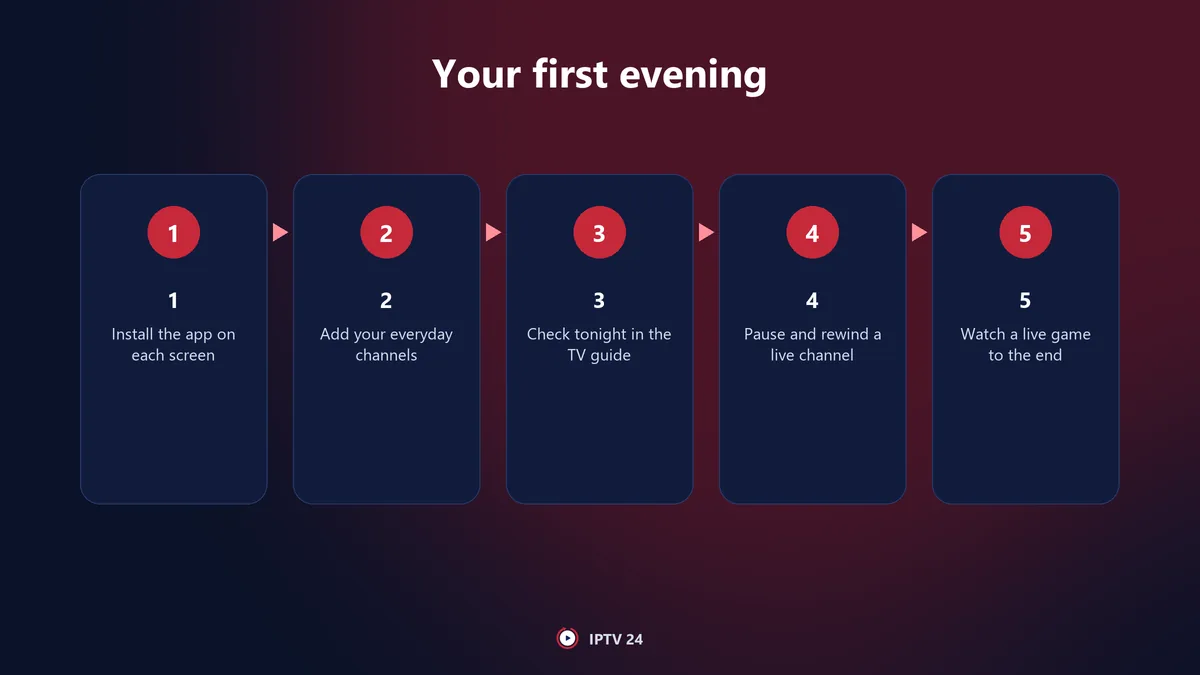
Use the trial on an evening with a live game, open a movie from the library and send support a question. By the end of the day you will know how each part works on your own screens and connection.
$2.95, taken off your first subscription.
How this guide was written
This guide was prepared for IPTV 24 with the help of AI writing tools. Its prices, trial terms, refund conditions, device steps and speed figures are the ones published on this site. If you spot something that looks out of date, tell us through the contact page.
Frequently asked questions
- What is an IPTV service?
- An IPTV service delivers live TV channels, a TV guide with catch-up and a library of movies and series over your internet connection, in an app on your TV, phone or computer. IPTV 24 includes 34,000+ channels and 90,000+ titles, with no dish and no cable box.
- What do I need to use an IPTV service?
- You need a steady internet connection and a screen: a Smart TV, a Firestick or box, a phone, a tablet or a computer. IPTV 24 allows 10 Mbps for HD, 15 Mbps for Full HD and 25 Mbps for 4K per screen.
- Can I pause and rewind live TV?
- Yes. Every IPTV 24 plan includes catch-up on live channels, so you can pause a channel and rewind to a moment you missed. How far back you can go depends on the channel.
- How many screens can play at the same time?
- That depends on the plan. IPTV 24 offers 1, 2 or 3 screens playing at once; the app can be installed on more devices, but only that number play together. The 12-month plans cost $77, $109 and $189.
- Which apps work with the service?
- IPTV 24 includes the iBO Player app at no extra cost and also supplies an Xtream Codes login or an M3U link, so players such as IPTV Smarters or TiviMate work too.
- Does the service work when I travel?
- Yes. The IPTV 24 account is not tied to one address: it works in any country with an internet connection, and it works with a VPN. A session away from home counts as one of your screens.