IPTV Provider: 12 Questions to Ask Before You Pay
Most IPTV offers look alike on the page. The difference shows when you ask the right questions. Here are the twelve we would put to any IPTV provider, the answers worth hearing, and how IPTV 24 answers each one.
An iptv provider is the company that runs the servers, the channel list and the on-demand library behind your login, and that answers when something goes wrong. Choosing one is less about the biggest number on the page and more about how the provider behaves before and after you pay.
This guide gives you twelve questions to ask any IPTV provider, in the order you would ask them: before you pay, while you test and once you are a customer. For each one, you will find the answer worth hearing, the warning sign to watch for and how IPTV 24 answers. At the end we explain how a provider differs from a reseller, so you know who you are dealing with.
Every fact about IPTV 24 comes from this site: the price list, the refund policy and the setup guide. For a scored comparison of subscriptions, see our guide to the best IPTV subscription.
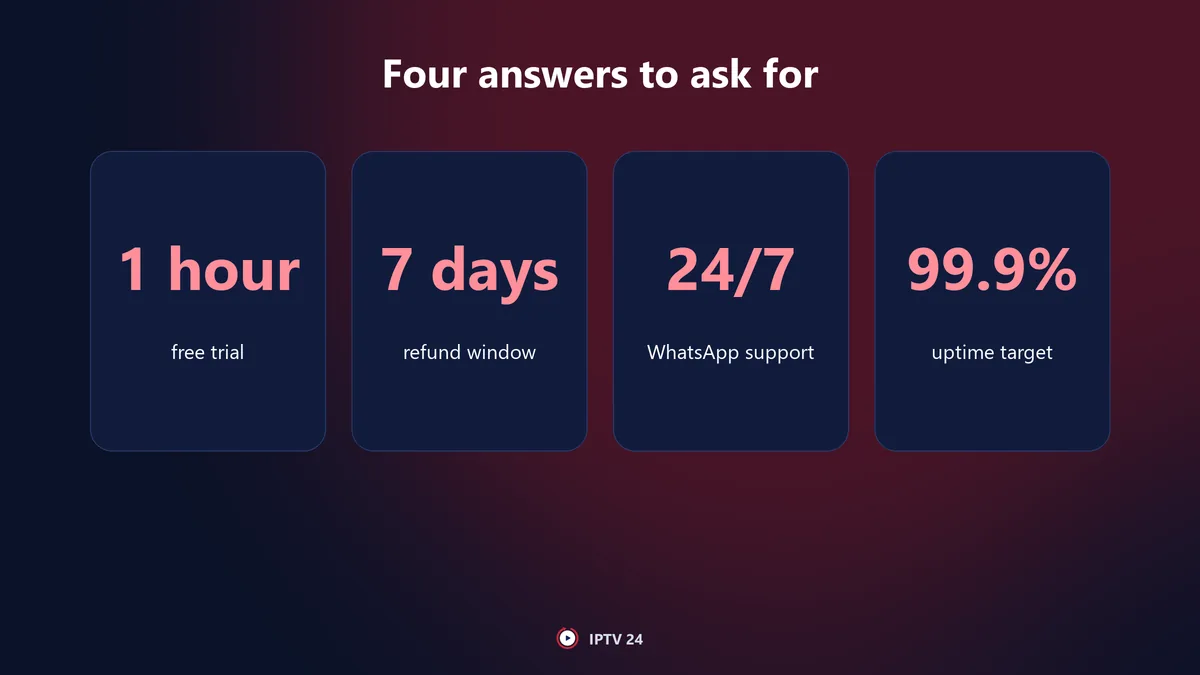
Support on WhatsApp, 24 hours a day, 7 days a week.
Full access, one per customer, no payment.
What an IPTV provider does
Behind every IPTV login there is a provider doing four jobs. Knowing them helps you see what your questions are really testing.
| Job | What it means for you |
|---|---|
| Servers | Channels that stay on during the busiest evenings |
| Channel list and library | The channels and titles you open, with a TV guide |
| Accounts and logins | Your login, your screens, your renewal date |
| Support | Someone who answers when a channel stops |
A good IPTV provider does all four well. A weak one usually fails on the first or the last: the picture freezes when everyone is watching the same game, or nobody replies when it does. Most of the questions below aim at those two jobs.
Why the provider matters more than the app
Two people can use the same player app and have very different evenings, because the app only shows what the provider sends. The channel list, the picture during a busy game, the TV guide and the reply when something breaks all come from the IPTV provider. That is why the questions in this guide are about the company behind the login, and why the app gets only a few of them.
Before paying: six questions for any IPTV provider
Ask these in a short message before you hand over any money. How the IPTV provider answers, and how fast, is already part of the answer.
1. Can I try it first, and for how long?
A provider that is sure of its service lets you see it on your own screen. Worth hearing: a free trial with full access, long enough to watch a live game. Warning sign: no trial, or a trial with half the channels hidden. IPTV 24 offers a free 1-hour trial, one per customer, and a 24-hour trial for $2.95 that is taken off your first subscription.
2. What happens if it does not work for me?
Ask for the refund rule in writing, with the conditions. Warning sign: “no refunds” or a vague “we will see”. IPTV 24 has a 7-day refund on every new subscription, after contacting support first so a technician can try to fix the problem. Renewals and the 24-hour trial are not covered, as the refund policy explains.
3. How do I reach support, and when?
Games happen at night and on weekends, so support should too. Worth hearing: a live chat channel with hours that include evenings and holidays. IPTV 24 answers on WhatsApp 24 hours a day, 7 days a week, holidays included, and by email at support@iptv-24.com.
4. Is there a contract or an automatic renewal?
You should know exactly what you are paying for and when it ends. IPTV 24 has no contract and no automatic renewal: you pay once for 1 to 24 months, and the plan ends on its expiration date unless you renew.
5. Which channels from my country are included?
A large total means little if your channels are missing. Ask the IPTV provider for the list of the groups you watch. IPTV 24 groups its 34,000+ channels by country, including the United States, the United Kingdom, Canada, Mexico, Europe, India, the Philippines and Arabic channels, and sends the full list on WhatsApp.
6. What does it cost in total?
Ask for the full price of the period, with any setup or activation fee. IPTV 24 has none: for one screen, $17 for 1 month up to $119 for 24 months ($4.96 a month), with no equipment rental.
While testing: four questions to check an IPTV provider
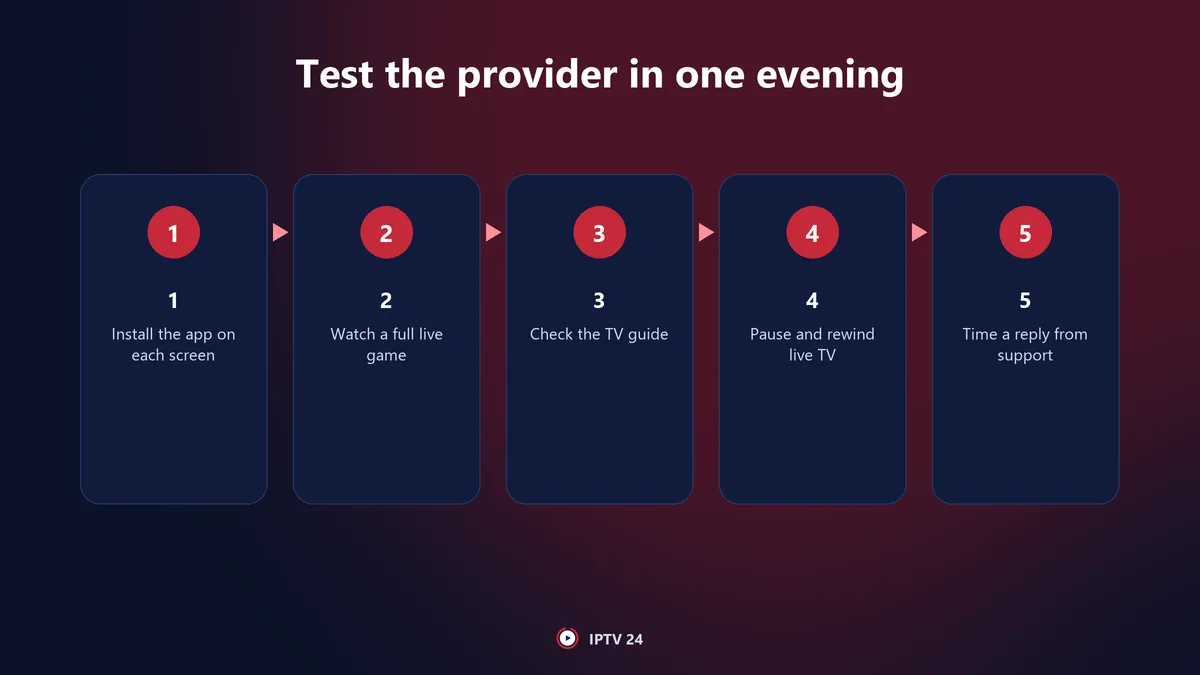
These you answer yourself during the trial. Plan it for an evening with a live game, because that is when an IPTV provider is under the most load.
7. Does the picture hold during a big game?
Watch a full match or game, not ten minutes of it. Note whether it freezes at kickoff or in the final minutes, when the most viewers are watching. IPTV 24 runs redundant servers with anti-freeze protection and aims for 99.9% uptime.
8. Does it work on all my devices?
Install the app on each screen you plan to use. IPTV 24 works on Samsung and LG Smart TVs, Android TV and Google TV, Firestick, Apple TV, MAG boxes, Xbox, phones, tablets and computers, with iBO Player included at no extra cost.
9. Is the TV guide filled in?
Open the TV guide on your everyday channels. An empty guide makes a long list hard to use. Try catch-up too: pause a live channel and rewind a few minutes.
10. How fast does support answer a real question?
Send a practical question during the trial, such as how to add favorites on your TV. Time the reply. This is the best preview of how the IPTV provider will treat you once you are a customer.
As a customer: two questions that matter later
11. What happens when I renew?
Setting up every TV again after each renewal is a chore. With IPTV 24 the login details stay the same on renewal, so nothing needs to be reinstalled.
12. Can I change the number of screens?
Households change. Ask whether you can move from one screen to two or three. IPTV 24 offers 1, 2 or 3 screens playing at once, and you can ask support on WhatsApp about moving to another one. For 12 months, that is $77, $109 or $189.
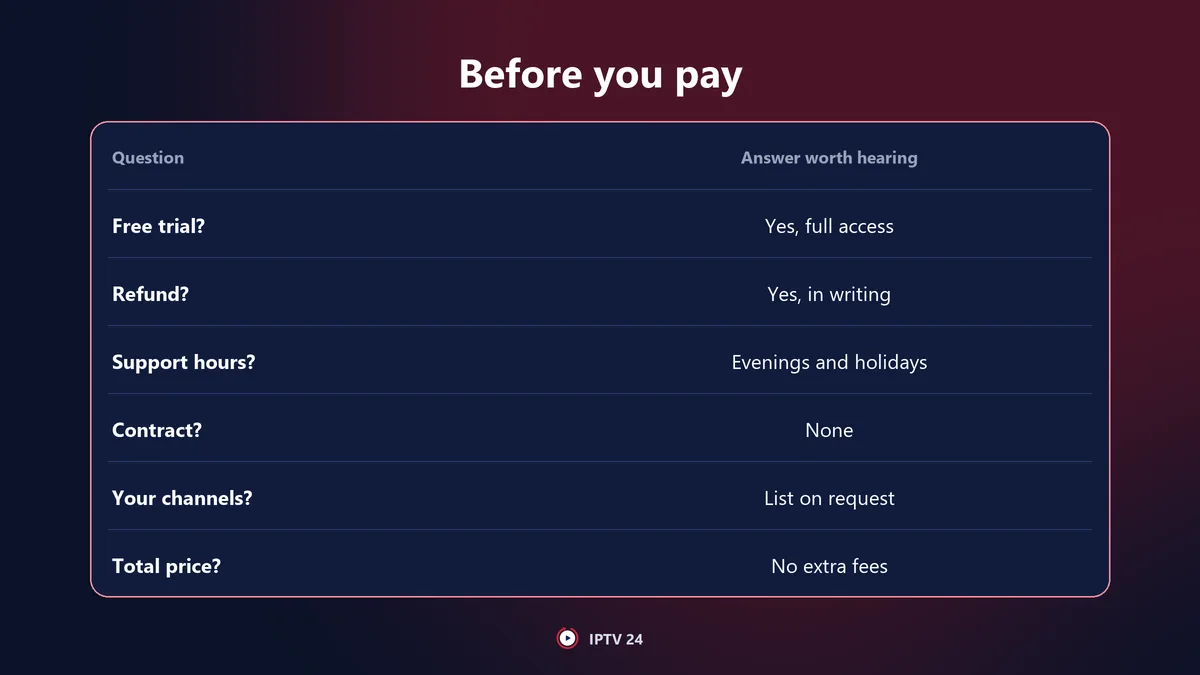
The twelve questions on one page
Copy this table, ask each IPTV provider you are considering and fill in a column per provider. The one with the most clear answers usually wins.
| Question | Answer worth hearing | IPTV 24 |
|---|---|---|
| Free trial? | Yes, full access | 1 hour free; 24 hours for $2.95 |
| Refund? | Yes, in writing | 7 days on a new subscription |
| Support hours? | Evenings and holidays | WhatsApp 24/7 |
| Contract? | None | None, no automatic renewal |
| Your channels? | List sent on request | Grouped by country |
| Total price? | No extra fees | From $4.96 a month |
| Big-game picture? | Holds to the end | Redundant servers, 99.9% target |
| Your devices? | All of them | TVs, sticks, boxes, phones, PCs |
| TV guide? | Filled in | TV guide and catch-up |
| Support speed? | Minutes, not days | Test it during the trial |
| Renewal? | Same login | Same login |
| Screens? | Can change | 1, 2 or 3 |
Questions about the app and the login
The app is where you spend every evening, so it deserves a few questions of its own. A provider that ties you to one player it controls leaves you stuck if that app stops working on your TV. One that supplies standard logins lets you pick the player you like.
| Ask | Why it matters | IPTV 24 |
|---|---|---|
| Which player is included? | You should not pay extra for the app | iBO Player at no extra cost |
| Can I use another player? | Freedom if your TV changes | Xtream Codes login or M3U link |
| How long does setup take? | A sign of how clear the steps are | About five minutes |
| Is setup help offered? | Useful for a Smart TV or a first stick | Guided setup on WhatsApp, under ten minutes |
On a Firestick, a clear IPTV provider gives you one code and a short list of steps: with IPTV 24 you install the Downloader app, allow apps from unknown sources and enter the code 481220. On a Samsung or LG Smart TV, iBO Player shows a MAC address and a device key that you send on WhatsApp. If a provider cannot explain its setup in a few lines, expect the rest to be just as hard.
Ask also whether the service works with a VPN. Some people use one at home or when traveling; IPTV 24 works with a VPN and in any country with an internet connection.
Questions for families, sports fans and expats
The best IPTV provider for a single viewer is not always the best for a busy home. Match the questions to the people who will watch.
Families
Count the screens that play at the same moment on a normal evening, not the devices in the house. A 1-screen plan can be installed on every TV, but only one plays at a time. Ask whether there is a kids’ section in the library: IPTV 24 has one, alongside kids’ channels in each country group.
Sports fans
Ask which competitions are covered and test the busiest one during the trial. IPTV 24 carries the channels that show the Premier League, the Champions League, the NFL, the NBA, MLB, the NHL, Formula 1, cricket, UFC and boxing, with a separate pay-per-view category. Catch-up lets you rewind to a goal or a touchdown.
Expats and families with roots abroad
Ask for the group of the country you come from by name, and check its TV guide during the trial. A provider that groups channels by country makes it easy to keep the channels from home next to the local ones in one list.
Warning signs when choosing an IPTV provider
None of these proves a provider is bad on its own, but two or three together are a reason to keep looking.
- No trial at all, or a trial you have to pay full price for.
- Lifetime plans or very long plans pushed hard: a provider cannot promise a service for life.
- No refund rule you can read before paying.
- Support by email only, with replies that take days.
- Claims of being “official” or “licensed”: an independent IPTV provider has no reason to say this, and no way to show it.
- Pressure to pay now, with countdowns or offers that expire in minutes.
- Payment only by one unusual method, with no card or common wallet.
On that last point: IPTV 24 accepts debit and credit cards (Visa, Mastercard), PayPal and Revolut, confirmed immediately; bank transfer and crypto (USDT, BTC), confirmed within 2 to 3 hours; and Apple Pay, Google Pay and Wise.
A technician replies on WhatsApp at any hour.
IPTV provider or reseller: who are you buying from?
Not every seller runs its own service. Many sell lines from a provider through a reseller program. That is common and not a problem in itself, but it changes who answers your questions.
| Point | Provider | Reseller |
|---|---|---|
| Runs the servers | Yes | No, uses a provider’s |
| Creates your login | Directly | Through a reseller panel |
| Answers support | Its own technicians | The reseller, who may ask the provider |
| Sets the price | Its own price list | Its own price, on top of credits |
A good reseller answers quickly and passes technical problems on to the provider. A weak one adds a delay between you and the people who can fix things. Ask any seller a simple question: “If a channel stops at night, who fixes it, and how do I reach them?”
IPTV 24 sells directly, with its own support team on WhatsApp. It also runs a reseller program with a management panel and credits priced by volume, for people who want to sell lines to their own customers.
What a full IPTV provider package includes
Beyond the twelve questions, compare what is in the package itself. Some providers sell sports, movies or extra screens as add-ons. IPTV 24 includes the same full package on every plan.
- 34,000+ live channels, grouped by country and theme, with 4K, Full HD, HD and SD versions.
- 90,000+ movies and series on demand, with complete seasons and new titles every day.
- TV guide and catch-up on live channels.
- iBO Player at no extra cost, plus an Xtream Codes login or an M3U link for other players.
- Works with a VPN and when you travel.
Our guide to IPTV premium plans goes through what a full package should contain, point by point, and how to spot a premium label that does not add anything.
After choosing your IPTV provider
Once you have picked an IPTV provider, start short. A 1-month or 3-month plan lets you see a few weeks of evenings before you commit to a year. When you are happy, a longer plan costs less per month: $6.42 a month on 12 months and $4.96 a month on 24 months for one screen.
Then set it up properly once: the setup guide covers Firestick, Smart TVs, Android and iPhone. Our guide to using an IPTV service day to day shows how to arrange favorites, use the TV guide and catch-up, and fix small problems yourself.
Keep the support chat saved on your phone, write down your renewal date and keep your login private. A good provider will remember you as a customer who knows what to ask.
What an IPTV provider can and cannot promise
A provider can promise its own part: servers, support, the refund rule and the price. It cannot control your home connection, which is why speeds of 10 Mbps for HD, 15 Mbps for Full HD and 25 Mbps for 4K per screen matter on your side.
IPTV is a delivery technology, and what a provider may carry depends on the rights it holds. What an IPTV 24 subscription covers is set out in the legal points of our main guide, in one place, without promises we cannot keep.
How IPTV 24 answers as an IPTV provider
Put the twelve questions to us on WhatsApp and you will get the same answers as in this guide. The short version:
- Free 1-hour trial, and a 24-hour trial for $2.95 taken off your first subscription.
- 7-day refund on every new subscription, after contacting support first.
- WhatsApp support 24 hours a day, 7 days a week, holidays included.
- No contract, no automatic renewal, no setup fee; from $4.96 a month.
- 1, 2 or 3 screens; the same login when you renew.
Plans are ordered on WhatsApp and paid in US dollars; login details arrive within minutes of the payment being confirmed.
No contract, no setup fee.
How this guide was written
This guide was prepared for IPTV 24 with the help of AI writing tools. Its prices, trial terms, refund conditions, device steps and speed figures are the ones published on this site. If you spot something that looks out of date, tell us through the contact page.
Frequently asked questions
- What does an IPTV provider do?
- An IPTV provider runs the servers, the channel list and the on-demand library behind your login, creates your account and answers support. IPTV 24 does all four directly, with 34,000+ channels, 90,000+ titles and WhatsApp support 24/7.
- How do I test an IPTV provider before paying?
- Use a trial on an evening with a live game: install the app on each screen, watch the full game, check the TV guide and send support a question. IPTV 24 offers a free 1-hour trial and a 24-hour trial for $2.95.
- Does IPTV 24 offer refunds?
- Yes. Every new IPTV 24 subscription has a 7-day refund, after contacting support first so a technician can try to fix the problem. Renewals and the 24-hour trial are not covered.
- What is the difference between a provider and a reseller?
- A provider runs the servers and creates logins directly; a reseller sells lines from a provider through a panel and handles its own customers. IPTV 24 sells directly and also runs a reseller program.
- Which payment methods does IPTV 24 accept?
- Visa and Mastercard cards, PayPal and Revolut, confirmed immediately; bank transfer and crypto (USDT, BTC), confirmed within 2 to 3 hours; and Apple Pay, Google Pay and Wise. Prices are in US dollars.
- Is there a contract?
- No. You pay once for 1 to 24 months, there is no automatic renewal, and the plan ends on its expiration date. When you renew, your login stays the same.