Best IPTV Subscription: How to Score Providers and Pick the Right Plan
The best IPTV subscription is not the one with the biggest number on the ad. It is the one that stays stable during your evening game, carries your channels and answers when something breaks. This guide gives you a scorecard and a test plan to find it.
The best IPTV subscription is the one that stays stable during a live game at peak time, carries the channels your household actually watches, works on the devices you already own and comes with support that answers at any hour. Price matters, but only after those four points pass a real test in your own home.
Almost every provider promises thousands of channels, 4K and no buffering. Those claims are easy to print and hard to check from a price page. The way to find the best IPTV subscription is to score each provider on the same criteria, then confirm the score with a trial on your own connection, on a weekday evening and during a game.
This guide gives you that scorecard, explains what each criterion means in practice, compares plan lengths and prices in US dollars and lists the warning signs that should end a search early. The figures about IPTV 24 come from this site: the price list, the free trial page and the setup guide. The checks themselves work for any provider.
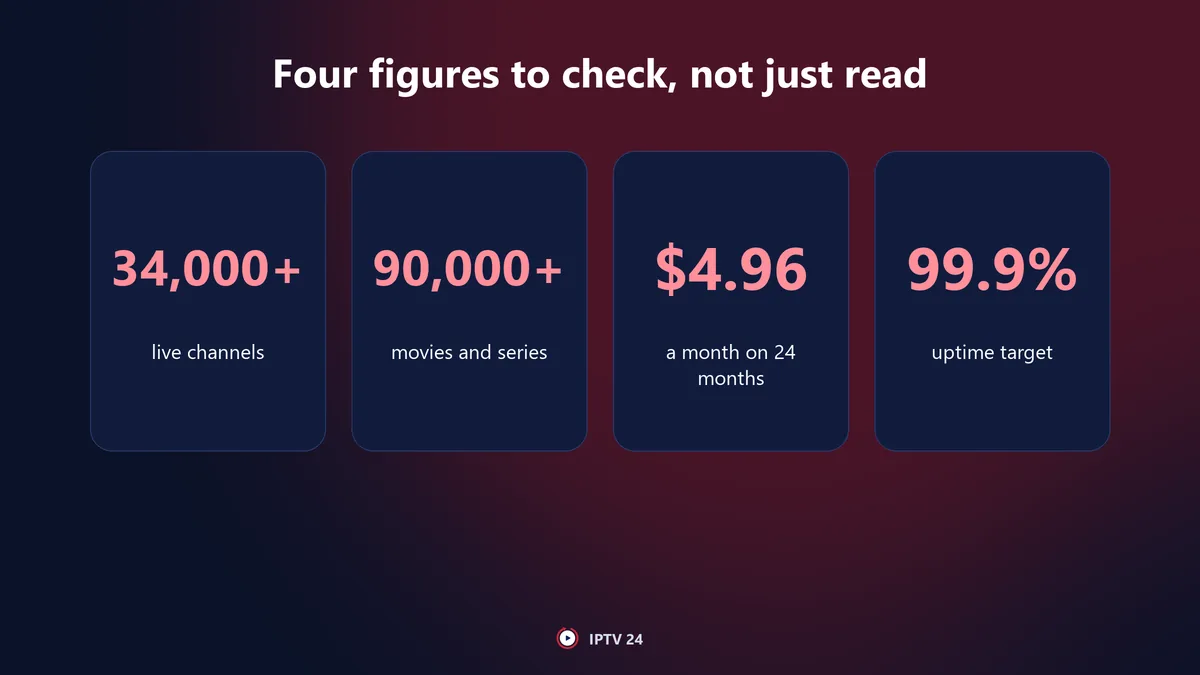
Support on WhatsApp, 24 hours a day, 7 days a week.
No contract, no setup fee, from $4.96 a month.
What makes the best IPTV subscription
The best IPTV subscription is the one that fits your household, not a single winner for everyone. A sports fan who watches every Sunday needs stability at peak time above everything else. A family needs kids’ channels, a working TV guide and two or three screens. Someone leaving cable needs their local channels and a simple app for the people who are not comfortable with technology.
What all of them share is a short list of criteria that decide whether the service is pleasant to use every day:
- Stability: the picture holds during a live game in the evening, when the audience is at its highest.
- Your channels: the local channels, sports and movie channels you watch now are on the list and work.
- Picture quality: 4K and Full HD versions look right on your main TV.
- Devices: the service runs on the exact TV, stick or box you own.
- Support: a person answers quickly, in the evening and on weekends.
- Fair terms: a trial, a refund window and written terms before you pay.
Price comes after these six points. A cheap plan that freezes in the last two minutes of a game costs you the moment you cared about most.
A scorecard for the best IPTV subscription
Score each provider from 0 to 3 on every line below, using what you see during the trial, not what the website says. Stability and your channels count double, because no other strength makes up for a weak score there. The highest total is the best IPTV subscription for your home.
| Criterion | What to check during the trial | Weight |
|---|---|---|
| Stability at peak time | A live game between 7 PM and 10 PM, start to finish | x2 |
| Your channels | Every local, sports and movie channel you watch now | x2 |
| Picture quality | 4K and Full HD versions on your biggest TV | x1 |
| TV guide and catch-up | Guide filled in for tonight; rewind a live channel | x1 |
| Devices | Install on each TV, stick and phone in the house | x1 |
| Support | Send a question in the evening and time the reply | x1 |
| Terms | Trial, refund window and written terms | x1 |
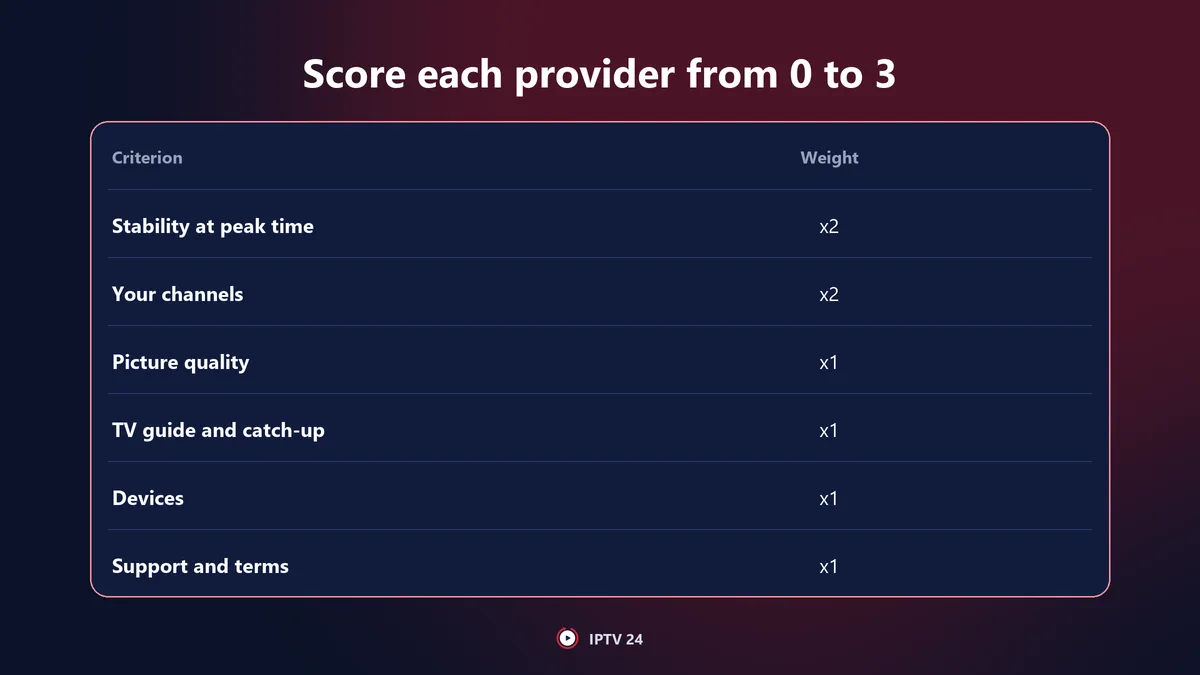
Write the scores down as you go. After two or three trials, memory blurs the details, and a written sheet stops one good evening from hiding a weak support reply.
Stability at peak time comes first
Any service looks fine on a quiet channel at noon. The real test is a popular live game on a weekday or Sunday evening, when thousands of viewers open the same stream. That is when overloaded servers show their limits: the picture drops to a lower quality, freezes for a few seconds or reloads.
How to run the test
Pick the biggest live event during your trial and watch it from kickoff to the final whistle on your main TV. Note every freeze longer than a second and the minute it happened. One short freeze at the start can be your network; several during the busiest moments point to the provider.
Rule out your own network
Before blaming the service, check your side: run the same channel on a phone next to the router, or connect the TV with an Ethernet cable. If the freezes stop, the weak point is your Wi-Fi, not the provider. IPTV 24 aims for 99.9% uptime with redundant servers and anti-freeze protection; it is a target, and no provider controls the Wi-Fi in your home.
The channels you actually watch
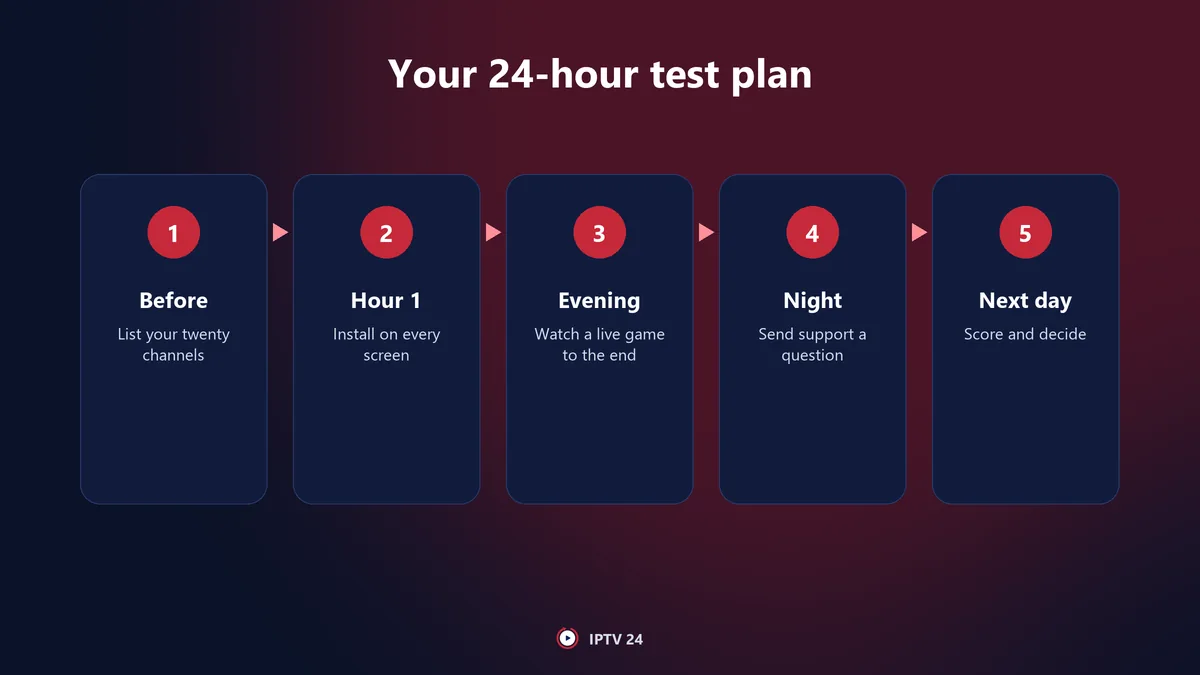
A list of 34,000+ channels sounds impressive, but you will watch perhaps twenty of them. Make a list of those twenty before the trial: your local news, the channels that carry your teams, the movie channels you use and the kids’ channels if there are children at home.
- Local channels: find the ones for your city, not just the national networks.
- Sports: check the channels for the NFL, NBA, MLB, NHL and college games you follow, plus the pay-per-view category if you watch fights.
- Movies and series: open a few titles in the on-demand library and check the audio and subtitles.
- Other countries: if part of the family watches channels from Canada, the United Kingdom, Mexico, India or the Philippines, check those groups too.
Every IPTV 24 plan carries the full channel list and the full on-demand library, so there is no sports pack or movie pack to add later. The complete list is sent on WhatsApp, which lets you check your twenty channels before you even start the trial. See the channel overview for the main groups.
Picture quality and the internet speed behind it
Picture quality depends on two things: the versions the provider offers and the speed of your connection. The best IPTV subscription lists several versions of the main channels, so you can pick 4K on the big TV and a lighter version on a phone using mobile data.
| Quality | Speed per screen | Best for |
|---|---|---|
| 4K | 25 Mbps | Large 4K TV in the living room |
| Full HD | 15 Mbps | Bedroom TV, laptop |
| HD | 10 Mbps | Phone, tablet, slower connection |
| SD | Below 10 Mbps | Mobile data on the road |
The speeds add up when several screens play at once: two screens in 4K need about 50 Mbps. Fiber and most cable internet plans clear that easily. DSL and 4G or 5G home internet work as long as the connection is steady, which you can check with a speed test in the evening rather than in the morning.
You only see 4K on a 4K television, or through a 4K streaming stick or box. On an older Full HD set, the Full HD version of a channel looks the same and uses less bandwidth.
Devices and apps
Install the service on every screen in the house during the trial, not only on the main TV. A provider that works on your Firestick but not on the Samsung in the bedroom scores lower for your household. The best IPTV subscription for your home works on all of them.
IPTV 24 runs on Samsung and LG Smart TVs, Android TV and Google TV, Android and MAG boxes, the Amazon Firestick, Apple TV, Nvidia Shield, Xbox, iPhone, iPad, Android phones and tablets, Windows, Mac and a web player. The iBO Player app is included at no extra cost, and the line is also supplied as an M3U link or an Xtream Codes login for apps such as IPTV Smarters or TiviMate.
Setup takes about five minutes. On a Firestick, the Downloader app with the code 481220 installs the player in about two minutes; on a Smart TV, the app shows a MAC address and a device key that you send on WhatsApp. The setup guide shows each device step by step.
Best IPTV subscription prices per month
Compare prices per month, not per order. A long plan costs more up front and far less each month. Here are the IPTV 24 prices in US dollars, paid once for the whole period, with no setup fee, no equipment rental and no automatic renewal.
| Length | 1 screen | Per month | 2 screens |
|---|---|---|---|
| 1 month | $17 | $17 | $29 |
| 3 months | $37 | $12.33 | $64 |
| 6 months | $49 | $8.17 | $84 |
| 12 months | $77 | $6.42 | $109 |
| 24 months | $119 | $4.96 | $199 |
Three screens cost $39 for 1 month, $79 for 3 months, $117 for 6 months, $189 for 12 months and $297 for 24 months. The content is the same on every plan: only the number of screens playing at the same time and the length change.
What the price should include
When you compare offers, check that the price covers the full channel list, the on-demand library, the TV guide, catch-up and the player app. An offer that looks cheaper can end up costing more once a sports pack or a second screen is added.
1 to 3 screens, 1 to 24 months.
Which plan length gives the best IPTV subscription value
The right length depends on how sure you are after the trial. All lengths include the same service, so the choice is only about cost and commitment.
1 month: to confirm after the trial
At $17, one month lets you live with the service through several games and a few busy evenings before committing for longer. It is also the plan for a single season or a short stay.
12 months: the plan most people choose
At $77 for one screen, the year costs less than five months at the monthly price and works out at $6.42 a month. For a household that watches every day, this is usually the best IPTV subscription value once the trial has passed.
24 months: the lowest monthly cost
At $119, the two-year plan brings the cost down to $4.96 a month. Choose it when you have already used the service for a while and know it suits you. When any plan ends, it simply stops on its expiration date; renewing keeps the same login details.
How many screens your household needs
To get the best IPTV subscription value, count the screens that play at the same moment, not the devices in the house. A 1-screen plan can be installed on the living-room TV, a bedroom TV and a phone, but only one of them plays at a time.
| Household | Screens at once | 12-month price |
|---|---|---|
| One person or a couple who watch together | 1 | $77 |
| Family with a second TV in use | 2 | $109 |
| Large family or shared home | 3 | $189 |
If two people want the game in the living room while the kids watch cartoons upstairs, that is two screens. Picking the right number from the start avoids a second order later.
The best IPTV subscription for your household
The same scorecard gives different winners depending on who is watching. Adjust the weights to your home.
Sports fans
Stability at peak time and the sports channels come first. Test during the biggest game of the week, check catch-up to rewind a play, and make sure the 4K version of the main sports channels holds on your connection.
Families
Kids’ channels, a filled-in TV guide, parental controls in the app and two or three screens matter most. Check that the on-demand library has a kids’ section that children can find without help.
Cord-cutters leaving cable
Your local channels and an app that feels like a normal TV guide matter more than the size of the list. Ask support for a guided setup: a technician can walk you through it on WhatsApp in under ten minutes.
Travelers
The account is not tied to one address, so it works on a work trip, on vacation or at a second home wherever there is internet, and it works with a VPN. Check the HD and SD versions for hotel Wi-Fi and mobile data.
Test the best IPTV subscription with a 24-hour trial
A trial turns the scorecard into facts. IPTV 24 offers a free 1-hour trial, one per customer with no payment, and a 24-hour trial for $2.95, which is taken off your first subscription. The 24-hour trial is the one to use for scoring, because it covers an evening at peak time.
Start the trial on the right day
Plan the trial so the 24 hours include the evening you care about most, such as a game night. A trial that runs from Tuesday morning to Wednesday morning without a single big event tells you little about stability.
Test support on purpose
Send a real question late in the evening: ask where a channel is, or how to change the picture quality. The time the reply takes is part of the score, because that is how fast help will arrive when something stops working during a game.
$2.95, taken off your first subscription.
Red flags that rule a provider out
Some signs end the search for the best IPTV subscription before any scoring is needed:
- No trial and no refund: a provider confident in its service lets you see it first.
- “Lifetime” offers: a one-time price for an unlimited period cannot pay for servers and support over the years.
- Promises of zero buffering: nobody controls your Wi-Fi, so zero buffering cannot be promised honestly.
- No written terms: if the refund conditions are not written down, you have nothing to rely on.
- No way to reach a person: a contact form that never answers is a warning before you pay, and a bigger problem after.
- Free playlists: lists shared on forums rely on overloaded servers, lose channels overnight and have no support.
A paid subscription with redundant servers and a support team costs less than $5 a month on a two-year plan. The difference with a free list is stability, not the number of channels on the ad.
Support, payment and the refund window
The last part of the score for the best IPTV subscription is what happens around the service. IPTV 24 support answers on WhatsApp 24 hours a day, 7 days a week, holidays included, and by email at support@iptv-24.com. Orders are placed on WhatsApp; there is no sign-up form on the site.
Payment is in US dollars. Card, PayPal and Revolut payments are confirmed immediately; bank transfer and crypto are confirmed within 2 to 3 hours. Apple Pay, Google Pay and Wise are accepted too. Login details arrive within minutes of the payment being confirmed.
Every new subscription has a 7-day refund window, after contacting support first so a technician can try to fix the problem. Renewals and the 24-hour trial are not covered. The full conditions are in the refund policy and the terms of service.
Legal points and what a subscription does not cover
A subscription gives you access to the IPTV 24 line for the period you paid for. It does not include your internet service, your devices or any other TV service, and it does not change the rules that apply where you live.
IPTV is a delivery technology; whether a service may carry a channel depends on the rights the provider holds.
IPTV 24 is an independent service. It is not connected to any TV channel, network, cable or satellite operator or streaming platform, and it makes no legal claim. This guide is not legal advice.
The rules on watching television over the internet are not the same in every country or state. You are responsible for checking what applies where you live before you subscribe, and if the rights position of any service matters to you, ask the provider directly.
Checklist before you pay for the best IPTV subscription
Before you pay, run through this list. If every line is a yes, you have found the best IPTV subscription for your home.
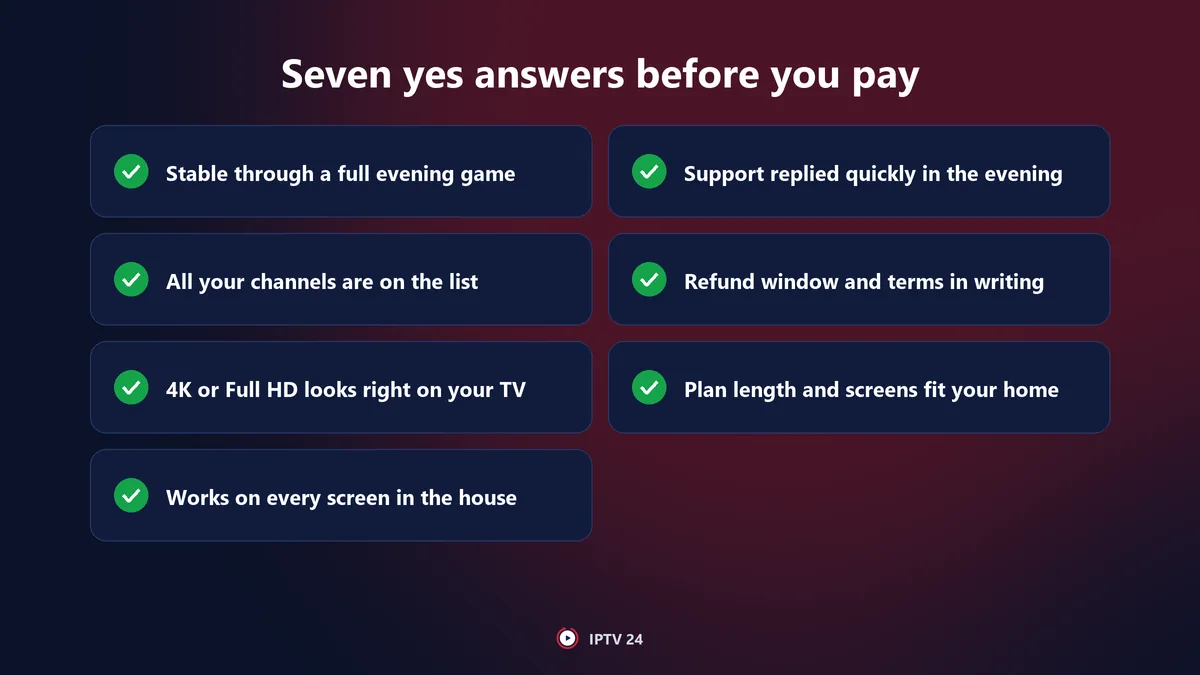
If a line is a no, ask support about it before deciding. Sometimes the answer is a setting, a different channel version or an Ethernet cable; sometimes it is a reason to keep looking.
Tell us your device and what you want to confirm.
How this guide was written
This guide was prepared for IPTV 24 with the help of AI writing tools. Its prices, trial terms, refund conditions, device steps and speed figures are the ones published on this site. If you spot something that looks out of date, tell us through the contact page.
Frequently asked questions
- What is the best IPTV subscription?
- The best IPTV subscription is the one that stays stable during a live game at peak time, carries your channels, runs on your devices and has support that answers quickly. IPTV 24 lets you check all four with a 24-hour trial for $2.95 before you pay.
- How much does a good IPTV subscription cost per month?
- With IPTV 24, one screen costs $17 for 1 month, $37 for 3 months, $49 for 6 months, $77 for 12 months and $119 for 24 months, which is $4.96 a month. There is no setup fee, no contract and no automatic renewal.
- How can I test an IPTV subscription before paying?
- IPTV 24 offers a free 1-hour trial, one per customer, and a 24-hour trial for $2.95 that is taken off the first subscription. Use the 24-hour trial to watch a live game in the evening and to test how fast support replies.
- Which plan length is the best value?
- On IPTV 24, the 12-month plan costs $77 for one screen, or $6.42 a month, and is the plan most people choose. The 24-month plan costs $119, or $4.96 a month. Every length includes the same channels and library.
- How many screens do I need?
- Count the screens that play at the same moment. An IPTV 24 1-screen plan can be installed on several devices but plays on one at a time; the 2-screen plan costs $109 and the 3-screen plan $189 for 12 months.
- Is there a refund if the service does not suit me?
- Yes. Every new IPTV 24 subscription has a 7-day refund window, after contacting support first so a technician can try to fix the problem. Renewals and the 24-hour trial are not covered.